 David Henderson
 Key Takeaways
- Clean the Opal when the CLEAN light comes on, typically about every three months, and sooner if the ice tastes stale or the water is hard.
- The self-clean cycle runs about 30 minutes; follow it with a drain and a second 30-minute rinse cycle using fresh filtered water.
- Wipe the reservoir, pump cover and bin by hand, because the cycle does not scrub every surface.
- ADD-WATER after cleaning is usually an air lock in the pump, not a failed sensor.
- Filtered water and a closed lid make every later clean easier.
The Bottom Line
Clean on the light, rinse twice, wipe by hand and expect an air lock after the cycle rather than a fault. A repair price is confirmed after diagnosis, with a written estimate before work begins.
An Opal sits on the counter and makes ice from a small reservoir of water that never fully drains between batches, which is exactly the setup that grows slime. The machine tells you when it wants attention, but the reminder is easy to dismiss and the cleaning itself takes under an hour, most of it unattended. This guide covers the routine for the Profile Opal 1.0 and 2.0 models that the site's ice maker code pages describe.
| Task | How often | What it prevents |
|---|---|---|
| Self-clean cycle | When the CLEAN light comes on, typically about every 3 months | Scale, off-taste, slime in the water path |
| Two fresh-water rinse cycles | After every clean | Cleaner or vinegar left in the ice |
| Hand wipe of reservoir and bin | With each clean | Biofilm the cycle does not reach |
| Fresh filtered water | Every refill | Mineral scale on the water sensor |
| Side tank filter and hose check | When ADD-WATER shows with a full tank | Clogs that look like a fault |
How Often Does GE Opal Ice Maker Cleaning Need Doing?
When the CLEAN light comes on, GE Opal ice maker cleaning falls due, and the code page puts that at about every three months or after a set number of gallons. Hard water shortens that, because scale builds on the evaporator, the pump and the water lines faster than the counter in the reminder expects.
Do not wait for the light if the ice tastes stale, metallic or musty, or if production has slowed. Those are the same signs the reminder is built to catch, and a visible pink or dark film on the reservoir walls means cleaning is overdue. If you see mold, do not use the ice until a full clean and two rinse cycles are done.
A strong chemical or sewage-like smell is a different level of problem. It points to significant contamination, so discard the ice, run the full routine below and, if the smell survives it, call us before using the machine again. The same applies to a machine that has sat unused for weeks with water in the reservoir: drain it and clean it before you make a single batch.
How Do You Run the Opal Self-Clean Cycle?
You empty the machine, add the cleaning solution to the reservoir and hold the Clean button for three seconds until the Clean light flashes. The cycle then runs for about 30 minutes without help. The steps below follow the CLEAN page on this site; if your owner's manual gives different amounts, use the manual's.
- Empty the bin and the reservoir. Discard the ice and any water left in the tank.
- Fill to the MAX line with cleaning solution. The site's page gives 1 oz of GE Opal cleaning solution per fill, or a 1:1 mix of white vinegar and water as a substitute.
- Hold Clean for three seconds. Wait for the Clean light to flash, then leave the machine alone for about half an hour.
- Keep cleaner out of the side tank. Solution goes only in the main reservoir, so it cannot contaminate the tank connector.
After the Cycle: Rinse Twice and Wipe by Hand
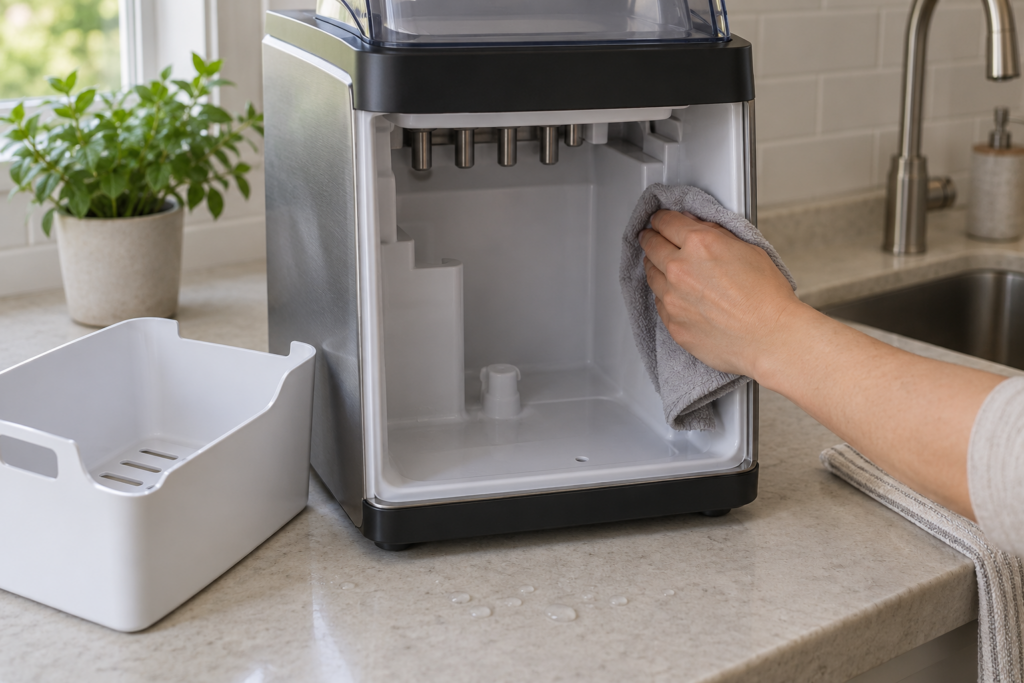
The cycle moves cleaner through the water path but does not scrub every surface, so finish by hand. Drain the cleaning solution using the drain plug at the rear, refill the reservoir with clean filtered water and run a second 30-minute cycle with no cleaner. Drain again and refill for normal use.
Then wipe the reservoir walls, the pump cover and the ice bin with a soft cloth dampened with the diluted solution, and follow with a clean damp cloth. A small brush reaches the water chute tube, where slime tends to collect first. If you used vinegar, expect a faint smell until the rinse cycle finishes.
It is tempting to skip the second cycle once the machine looks clean, but the rinse is what removes the last of the cleaner from the pump and lines. Without it, the first batches of ice can carry a chemical or vinegar taste, and owners often mistake that for a new fault and run another full clean. Discard the first batch after a rinse if there is any trace of smell, and note the date so the next reminder is easier to judge.
Why Does ADD-WATER Show After Cleaning?
An air lock in the pump is the most common reason, and it is not a fault. After the self-clean cycle or a manual drain, air gets trapped in the pump and water lines, so the pump runs but moves no water and the sensor reads low flow as a low-water condition even with a full reservoir.
- Refill to the line first. Use filtered water up to MAX and give the machine 15 to 20 minutes.
- Break the air lock. With the bin out, cover the small water inlet port with a finger for 10 to 15 seconds, then release, or tilt the machine forward for three seconds and return it level.
- Check the side tank. Reseat it until it clicks, look for a kinked connector hose and clean any plastic filter in the inlet.
The ADD-WATER page lists the same steps in full. If the alert returns after every refill with no air lock or tank problem, the water level sensor is the suspect and the unit needs a technician.
Habits That Keep the Next Clean Easy
Most of what makes a cleaning cycle hard is what happened in the three months before it.
- Use filtered or bottled water. Hard tap water leaves scale on the water sensor and can trigger false alerts.
- Keep the lid shut. An open lid in a warm kitchen lets airborne spores into the damp reservoir.
- Do not let ice sit. Ice left in the bin can melt slightly and refreeze into a block; the ICE-JAM page covers what a jam does to the harvest motor.
- Clean on the light, not on a hunch. The CLEAN page explains why the reminder cannot be dismissed without running the cycle.
When Does a Dirty Opal Need a Technician?
Most cleaning problems are yours to fix, but three are not.
- The CLEAN light returns within days. A completed cycle should clear it, so a quick return points at the sensor or the cycle counter.
- Scale stays after several cleans. Deposits that survive repeated cycles may mean the water supply needs treating, not the machine.
- The pump grinds or strains. A noise after a refill is a reason to stop and ask, because a pump run against a blockage can burn out.
If you are weighing a bigger repair, our guide on whether a GE Opal ice maker is worth repairing covers that decision. Ice maker repair handles sensors, pumps and water-path faults, and our preventive maintenance visits cover scheduled care. The price of any repair is confirmed after on-site diagnosis, with a written estimate before work begins. You can schedule a visit or contact us with the model and what the light shows.