 David Henderson
 Key Takeaways
- HRS means the main control board and the display board lost communication, and the refrigerator has stopped cooling.
- A five-minute unplug can clear a surge or a lock-up, but a code that returns means a physical fault.
- The 88 display at startup is a normal self-test and clears within about a minute.
- Repair when the refrigerator is under 10 years old and the fix costs less than half a replacement, with a technician able to confirm the window for premium series.
- Ask whether the fault is the main board, the display board or the data harness before agreeing, because the harness is the smallest job.
The Bottom Line
Repair a board fault on a refrigerator under 10 years old when the written estimate is under half of a new unit, and weigh replacing it from 12 years on. The price is confirmed after diagnosis, with a written estimate before work begins.
When a refrigerator's brain fails, it fails all at once: the display locks, the lights go out and the cabinet slowly warms. The part responsible is rarely the compressor or a fan, and that is the good news, because a board is a contained repair in a way a sealed system is not. The harder part is deciding whether to put money into a board on a refrigerator that may be a decade old, and this guide is about that decision, not about the refrigerator as a whole. For the whole-appliance view, start with our guide to whether to repair or replace a GE refrigerator.
| What you see | What it usually is | Lean toward |
|---|---|---|
| 88 88 for a few seconds at power-up | Normal display self-test | Nothing, wait it out |
| 88 still showing after 30 seconds | Display driver on the board stuck in test mode | Repair the board |
| HRS clears after a 5-minute unplug | Power surge or a software lock-up | Watch it, no repair yet |
| HRS returns, display locked, cabinet warming | Main board, display board or harness | Repair if the refrigerator is under 10 years old |
| Board fault on a refrigerator past 12 years | Board failure on an aging unit | Weigh replacing the refrigerator |
What Does a GE Refrigerator Control Board Fault Look Like?
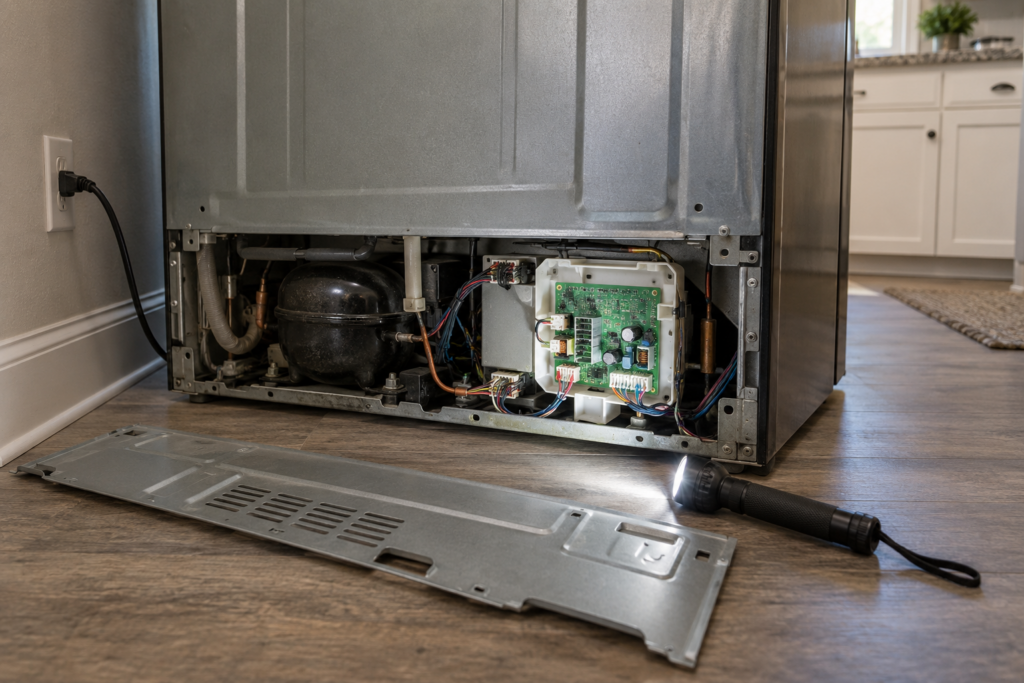
It looks like a refrigerator that has gone quiet and stupid. The usual code is HRS, which means the main control board and the display or dispenser board have lost communication with each other. On the models named on the site's HRS page, the Profile PFE28 and PVD28 and the Cafe CWE23 and CVE28, the cabinet then stops cooling, both compartments drift toward room temperature and the interior lights go dark.
- A locked display. The dispenser panel shows HRS with no temperature readout and no response to buttons.
- Clicking at the rear base. Rapid clicking near the bottom rear can be the main board relay cycling as it tries to reconnect.
- Warming food. Move perishables to a cooler right away; HRS means the refrigerator is no longer cooling.
The full list of checks is on the HRS page.
Can a Reset Fix a GE Control Board Fault?
Sometimes, and it is always worth trying first. Unplug the refrigerator for a full five minutes, not just 60 seconds, because the main board needs that long to discharge. If HRS clears and normal operation returns, a surge or a software lock-up caused it and nothing needs replacing.
A short routine keeps the test honest.
- Unplug for five full minutes. Count it; two minutes is not enough to discharge the board.
- Restore power and wait. Give the display a minute to run its startup self-test.
- Watch for HRS. If it stays away through a full cooling cycle, the surge theory fits.
- Write down the date. A second occurrence within weeks is a fault, not a surge.
If HRS comes straight back, the board, the display or the wiring has failed physically. The 88 code needs the opposite attitude: it is the startup self-test and clears on its own within about a minute, so do not mistake it for a fault unless it persists. The 88 page explains the difference.
Three Facts That Decide Repair or Replace
For a GE refrigerator control board repair or replacement comparison, three facts do all the work: the age of the refrigerator, the real cause and the written estimate. Everything else is noise.
- Age. This site's age guide for GE refrigerators favors repair when the unit is under 10 years old and the failure is mechanical, and a technician can confirm whether a premium series changes that for your model; apply the half-of-a-new-unit rule alongside it.
- Cause. A loose connector or a chafed harness is far cheaper than a new board, so insist on a diagnosis before a part is ordered.
- Estimate. The price is confirmed after on-site diagnosis, with a written estimate before any part is ordered; compare that with half the price of a comparable new refrigerator.
Is It the Board, the Display or the Harness?
All three produce the same code, and they sit at different cost levels. A technician separates them by testing, not by guessing from the display.
- The main board. It sits at the rear base of the unit and is the most common casualty of a power surge on the Profile PFE28 and the Monogram ZIS48.
- The display board. The board in the door can fail on its own or have its ribbon connector come loose.
- The data harness. The wiring that passes through the door hinge can chafe and break, especially on French door models that are opened many times a day.
Ask which of the three it is before you agree to anything, and ask the technician to show you the failed part or the damaged wire when you can; a visible chafe mark in a hinge harness is a clear sign that the repair is the cable, not a new board. A harness or connector repair is a much smaller job than a main board, and on a refrigerator that is otherwise healthy it is the one that makes repair an easy call.
When Replacing the Refrigerator Wins
Replacing often wins when the board fails on a unit of 12 years or more, where the site's age table says low-cost fixes only, when it follows other major repairs, or when the quote leaves you owing more than half of a comparable new refrigerator. A board is also a poor bet on a unit whose sealed system or compressor is already suspect, because you would be paying for a new brain in a body that is failing.
- Age of 12 years or more. The site's age table calls for low-cost fixes only from 12 to 15 years, and parts and the rest of the cabinet may be near the end of their range.
- A second major repair. Two significant repairs in a short window say the refrigerator is wearing out across the board.
- A quote over the half-price line. If the written estimate exceeds half of a comparable new refrigerator, replace it.
If the refrigerator is a premium Profile, Cafe or Monogram model, the same facts apply, and a technician can confirm whether the repair window is wider for your model. The worth-repairing guide for GE refrigerators gives the age table behind it.
What Protects a New Board From the Next Surge?
Surges are the leading cause on the models above, so it is worth asking the technician whether the outlet and the circuit are sound. A new board on a circuit that keeps dipping is a repair that can fail again, and it is much cheaper to find that out during the visit than a month later. A refrigerator should sit on its own outlet, and a surge-protecting outlet rated for appliances is a sensible addition for a refrigerator with a touchscreen or dispenser board. Our GE refrigerator maintenance guide covers the routine care that keeps the rest of the cabinet healthy.
When you are ready, refrigerator repair covers board, display and harness work. Schedule a visit or contact us with the model number and what the display shows.